
LET THE GAMEPLAY SPEAK.
You'll need the free FIFA Mod Manager to load FC26 mods.
IMPORT → APPLY → LAUNCH
FIRST TIME
USING FC MODS?
BEFORE YOU PLAY
These five settings are required for the Gameplay Overhaul to work correctly.
01
Game Type:
Career Mode & Tournament Mode default to Authentic Gameplay. Change this to Custom in those modes too.
CUSTOM GAMEPLAY
02
AUTHENTICITY FEATURES:
OFF
This must be turned off for the mod to work as intended.
03
REGULAR SLIDERS:
These must be manually set to 50/50.
RECOMMENDED EXCEPTION:
I also recommend setting these four sliders to 99:
INTERCEPT ERROR - USER: 99
INTERCEPT ERROR - CPU: 99
BALL DEFLECTION ERROR - USER: 99
BALL DEFLECTION ERROR - CPU: 99
These aren't required, but after extensive testing I've found they complement the existing ball freedom in the mod extremely well.
ALL 50/50
04
CPU SLIDERS:
ATTACKING (RECOMMENDED)
More attacking CPU experience
BUILD UP: 99
SHOOTING FREQUENCY: 99
ALL OTHER CPU SLIDERS: 50
BALANCED ATTACK
Overall balanced experience
BUILD UP: 75
SHOOTING FREQUENCY: 99
ALL OTHER CPU SLIDERS: 50
BALANCED SETTLED
More measured build-up with less CPU shooting
ALL CPU SLIDERS: 50
CUSTOM
Build your own CPU Set-Up Base
BUILD UP: 50–99
SHOOTING FREQUENCY: 50–99
ALL OTHER CPU SLIDERS: 50
Select ONE CPU Set-Up Base depending on your preferred experience.
CUSTOM
05
OTHER IMPORTANT SETTINGS:
DIFFICULTY
Legendary, World Class or Professional
WEATHER EFFECTS
Off
PLAYER-BASED DIFFICULTY
On
ATTRIBUTES
Classic
COMPETITOR MODE
Off
READY TO PLAY?
QUICK SETTINGS CHECK
GAME TYPE: CUSTOM
AUTHENTICITY FEATURES: OFF
REGULAR SLIDERS:
50 / 50
CPU SLIDERS: CUSTOM
PLAYER-BASED DIFFICULTY: ON
ATTRIBUTES: CLASSIC
COMPETITOR MODE: OFF
✓ READY TO PLAY
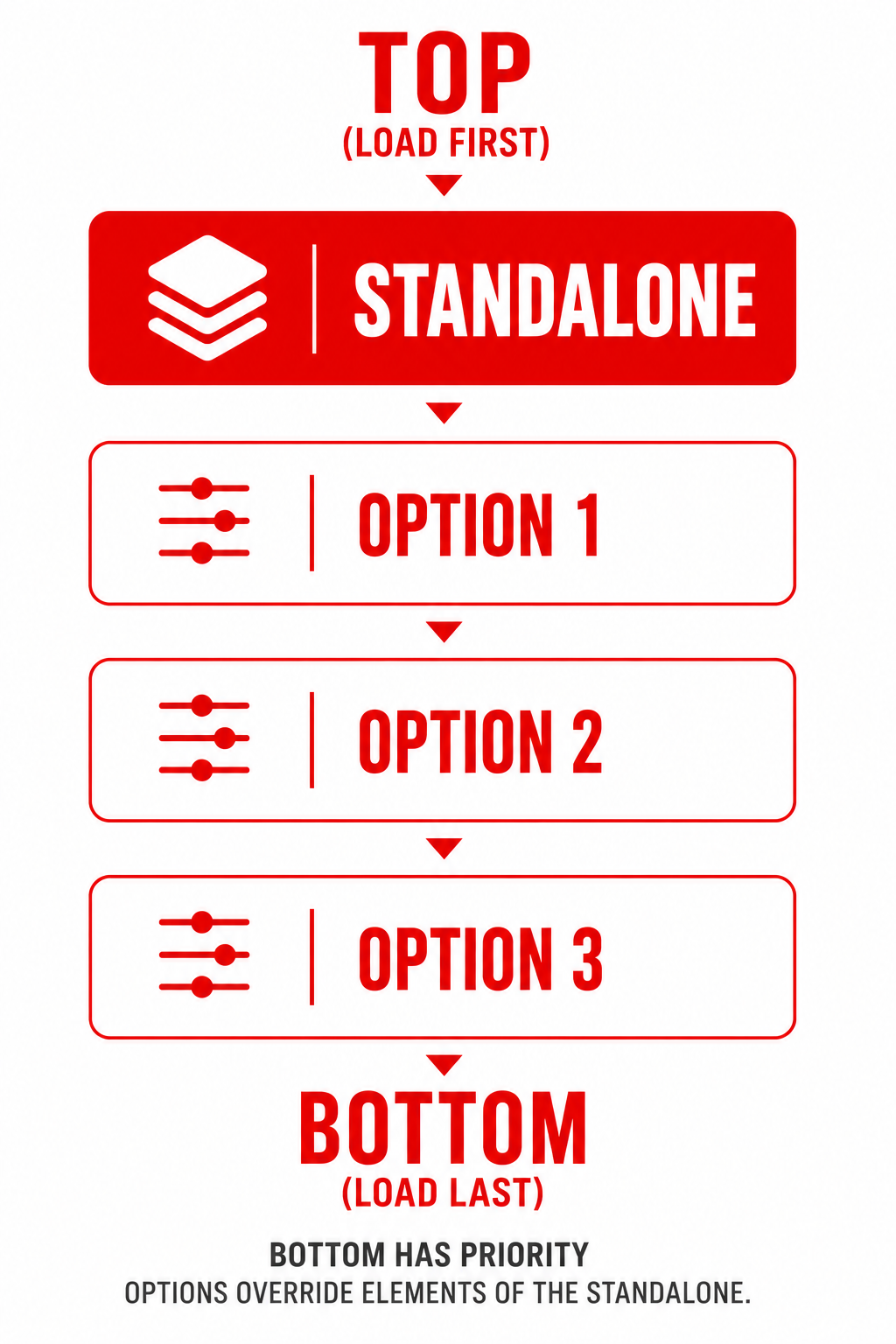
MOD ORDER
STANDALONE FIRST. OPTIONS BELOW.
Your Standalone is a complete gameplay mod. Options are optional adjustments used if you want to customise it further.
PLAY FIRST.
CUSTOMISE LATER.
Start with your chosen Standalone exactly as it is.
Once you’ve experienced the gameplay, then consider options to fine-tune it to your preference.
PREFER TO WATCH?
Follow the complete Essential Settings setup with my step-by-step video walkthrough.